




Picking a Dragon Money route for your phone
On a phone, Dragonmoney casino is the same in every form, and the difference lies in comfort. The browser asks for nothing, the Android app puts an icon on your home screen, and an iPhone shortcut does the same job through Safari. Here is how the three compare:
| What matters | Mobile browser | Android app | iPhone shortcut |
|---|---|---|---|
| First step | Open the casino address | Download the file from the official site | Open the site in Safari |
| Icon on the home screen | No | Yes | Yes |
| Space on the phone | Browser cache only | An installed app | Next to nothing |
| Suits | Any phone, any day | Android owners who play often | iPhone owners who play often |
All three open one Dragon Money casino account with the same wallets, cashback and division. A session started on a laptop at lunch can carry on from the sofa in the evening, with the same balance waiting.
Getting the Android app from the official site
A slider banner on the Dragon Money homepage reads Official app for Android. The installation file is provided on the official Dragonmoney site, and that is the only safe source. A copy passed around in a chat or on a forum may have been altered.
- Open the current Dragon Money address in your Android browser and find the app banner.
- Download the file, then open it from the notification bar or the Downloads folder.
- If Android blocks the install, allow the browser to install apps, then turn that permission off once you are done.
- Start the app and sign in with your usual details.
The app signs in to the account you already use, so nothing has to be moved across. If a step looks different on your handset, the Dragon Money support chat can talk you through it.
A Dragonmoney icon on the iPhone Home Screen
There is no separate iPhone download, and none is needed. In Safari, open the casino, tap Share, scroll to Add to Home Screen and confirm with Add. The new icon opens the site in one tap and takes up no more room than a bookmark.
A shortcut is tied to the domain it was created on. After a Dragon Money domain change, remove it and add a fresh one from the new address; otherwise it keeps pointing at the old site.
Settings for a weak signal
Three switches in the Dragon Money profile settings change how the site behaves on mobile data:
- Disable user avatars, which the casino recommends for weak internet: other players' pictures simply stop loading.
- Show ping, which shows how long a signal takes to reach the casino and back, so you know when to move to Wi-Fi.
- Disable display of foreign divisions, which hides other players' division badges and leaves the chat cleaner on a small screen.
With avatars off and ping on, a Dragonmoney session pulls fewer images and tells you why a stream is struggling. Flip them back at home on Wi-Fi if you prefer the full picture.
Which Dragon Money games suit a small screen
On Dragon Money, games with short rounds, big buttons and little text work best under a thumb. Several in-house Dragon Games fit that description, and the 226 Instant Games, such as Aviamasters and Mines, also play in short rounds.
Four in-house games for one hand
Plinko needs one button, Drop a ball, plus two choices: 8 to 16 pins, and Minimal, Medium or High as the risk level. Auto bets keep the balls falling without a tap each round, which is easier on a phone held in one hand. It is also the only game where the Dragon Money +5% first-day crypto extra can be spent.
Tickets is a Dragonmoney scratch game: buy a card and rub the cells away with a finger. The cheapest costs 0.124 USDT and the dearest 12.4 USDT, with 0.62 USDT in between. Each one can return up to ten times its price. Nvuti is even simpler: type a win chance into Percent, then press Less or More.
Double puts every Dragon Money player on one shared wheel. Each round starts after a countdown, which leaves time to choose x2, x3, x5 or x50 and to halve or double the stake with one tap. Every multiplier shows the bets other players placed on it, so the round is easy to follow on a narrow screen.
Live tables, data and Wi-Fi
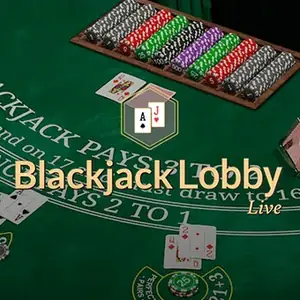
A live table is a video stream, and video eats data much faster than a slot spin or a Plinko drop. With 311 tables in the live row of Dragon Money casino, long blackjack or roulette sessions are best kept for Wi-Fi. Watch the ping: a rising number is an early sign that the stream may freeze.
When the casino address changes
The brand moves to a new address from time to time, and a saved bookmark or shortcut does not follow it. Switch on the domain-change notification in your profile, and check any new address with Dragonmoney mirror before you sign in.
Every Dragon Money domain follows the drgnNN.casino pattern, so an address bar that shows anything else is a warning sign. The same caution applies to app files: if a message offers a new Android version, ignore it and take the file from the official site only.
Dragon Money app questions from UK players
Do Dragon Money app users get extra bonuses?
The Android banner invites players to be the first to catch exclusive bonuses through the app. Regular extras such as weekly cashback of up to 10% belong to the account, so they work in the browser and on iPhone too. The numbers behind each one are set out under Dragon Money bonus.
Can I mute Dragonmoney on my phone?
Yes. The left panel holds the sound and notification controls, so you can silence the casino on a train without leaving a game. The same panel has a light and dark theme switch, and the dark one is easier on the eyes late at night.
Can I test a Dragon Money live table on my phone without betting?
On some tables, yes. Winfinity's Bar Roulette 2000x is one of the live tables with a Demo button, which runs on play credit. It is a free way to see how the video copes with your connection before real money is involved.
How do I reach Dragon Money support from my phone?
The support button is in the left panel, and live chat works 24/7, with the average reply taking about a minute. Press Start Conversation and keep your account ID handy. The Support page also answers common questions if you would rather not chat.
What is the quickest Dragonmoney sign-in on a phone?
A linked Telegram or Google account gets you in with a tap or two, and a one-time email code helps when the password is not to hand. Linking happens in the profile, and Dragon Money login walks through each option.